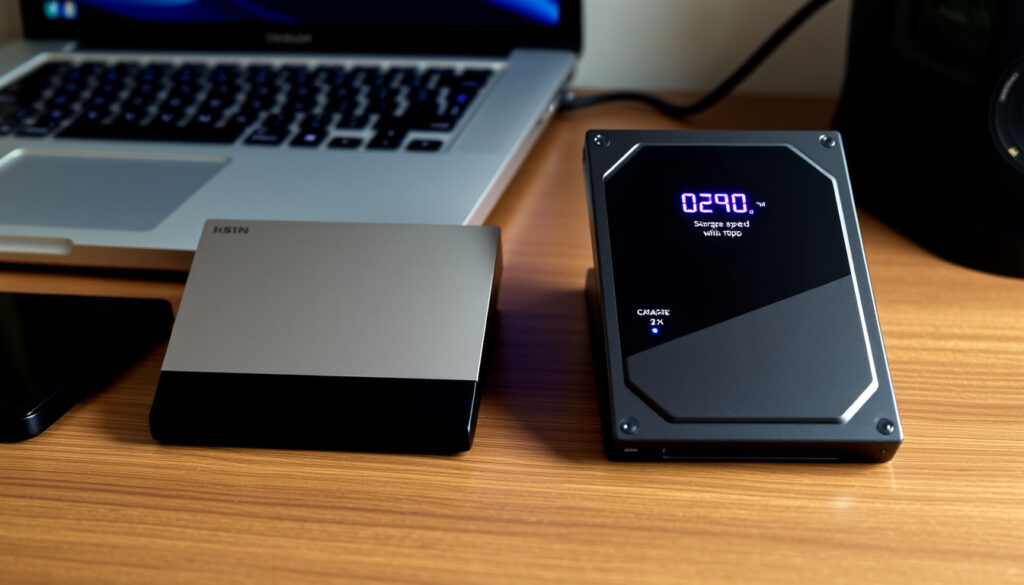
External Hard Drive NZ 2026: SSD vs HDD Buyer’s Guide
The choice between a cheap HDD and a speedy SSD in New Zealand comes down to capacity versus performance. With prices ranging from under $100 for a 1TB HDD to over $400 for a 1TB SSD, this guide breaks down which drive suits which job.
Avg price 1TB HDD (NZ): NZD $80–$120 · Avg price 1TB SSD (NZ): NZD $150–$200 · WD My Passport 5TB HDD (PriceSpy): NZD $362.95 · Samsung T7 1TB SSD (PriceSpy): NZD $448.95 · Typical HDD lifespan: 3–5 years · Typical SSD lifespan: 5–10 years
Quick snapshot
- External drives remain essential for offline backup and large media libraries (Noel Leeming, NZ electronics retailer)
- Cloud storage has recurring costs and requires internet access (PB Tech, NZ tech retailer)
- New interfaces like USB-C improve performance (PriceSpy, NZ price comparison)
- Top picks: WD My Passport, Seagate Backup Plus, Samsung T7 (Rubber Monkey, NZ specialist retailer)
- Consider portability, capacity, and speed (Noel Leeming, NZ electronics retailer)
- Check NZ retailer prices for best value (PB Tech, NZ tech retailer)
- 1TB sufficient for most users’ backups and documents (PriceSpy, NZ price comparison)
- 2TB ideal for gamers, designers, or large media collections (Noel Leeming, NZ electronics retailer)
- Price difference is typically NZD $20–40 (PB Tech, NZ tech retailer)
- SSD: faster, quieter, more durable – costlier per GB (Rubber Monkey, NZ specialist retailer)
- HDD: slower, more vulnerable – cheaper per GB (PriceSpy, NZ price comparison)
- Choose based on your need for speed vs capacity (Noel Leeming, NZ electronics retailer)
For a New Zealander who needs to move large video files daily, the extra speed of an SSD can save hours per week. But for a family doing weekly backups, a slow HDD at half the price per terabyte is the smarter use of money.
The price data below shows how the two technologies stack up in New Zealand retail.
| Attribute | Value |
|---|---|
| Price of 5TB external HDD in NZ (WD My Passport) | NZD $362.95 (PriceSpy) |
| Price of 1TB external SSD in NZ (Samsung T7) | NZD $448.95 (PriceSpy) |
| Typical HDD lifespan | 3–5 years |
| Typical SSD lifespan | 5–10 years |
| Popular brands in NZ | WD, Seagate, Samsung, SanDisk |
Are external hard drives still worth it?
Why external hard drives remain relevant
- They provide offline, one-time cost backup for large libraries — no monthly subscription (Noel Leeming, NZ electronics retailer)
- Physical SSDs and HDDs continue to appear in major NZ retailer categories, confirming sustained demand
- Modern interfaces like USB-C and Thunderbolt (up to 40 Gbps) close the speed gap with internal drives
Cloud storage vs external drives
- Cloud services charge ongoing fees: NZD $10–$20/month for 1TB from providers like Google Drive or Dropbox — that’s NZD $120–$240 per year vs. a one-time NZD $80–$120 HDD purchase
- Backing up a 5TB media collection over a typical NZ fibre connection (average 200 Mbps upload) takes roughly 55 hours — a local copy takes minutes
- External drives work offline, ideal for areas with patchy internet or during travel
Market trends for 2026
- Retailers like PB Tech (NZ tech retailer) and Rubber Monkey (NZ specialist retailer) still list dozens of external drive models, indicating no imminent obsolescence
- PriceSpy data shows NZ retail prices for 4TB+ drives remain competitive, suggesting the market is active
The implication: local backup still makes financial sense for most NZ households despite the cloud option.
A New Zealand family with 5TB of photos and videos faces a choice: pay $120+ every year for cloud storage, or buy a portable HDD for $360 that lasts five years. The maths favours the drive for most households.
What is the best external hard drive to buy?
Top picks for NZ shoppers in 2026
- WD My Passport 5TB (HDD): NZD $309 at Rubber Monkey (NZ specialist retailer), NZD $362.95 at PriceSpy — best value for bulk storage
- Seagate Backup Plus 2TB (HDD): often found around NZD $130–$160 at Noel Leeming
- Samsung T7 1TB (SSD): NZD $448.95 at PriceSpy — top speed for frequent travellers
- SanDisk Extreme Portable SSD 2TB: NZD $445 at Noel Leeming — rugged, fast, compact
Key factors: capacity, speed, durability
- Capacity: 1TB for average users, 2TB+ for media pros
- Speed: USB 3.0 (5 Gbps) on HDDs vs. USB 3.2 Gen 2 (10 Gbps) on SSDs — real-world file transfers are 3–5× faster on SSDs
- Durability: SSDs have no moving parts and survive drops up to 2 metres; HDDs are vulnerable to even a 30 cm fall
What this means: For a graphic designer in Auckland who carries their drive to client meetings, a Samsung T7 SSD is worth the extra $200 for speed and peace of mind. For a student backing up assignments, a $120 Seagate HDD is plenty.
Should I buy 1TB or 2TB external?
How much storage do you really need?
- 1TB holds roughly 250,000 photos, 500 hours of HD video, or 20,000 songs — enough for most personal backups
- 2TB adds room for a full Time Machine backup of a 1TB MacBook plus a media library
- Gamers: modern game installs average 50–100 GB each; a 1TB drive holds 10–20 games, a 2TB doubles that
Cost comparison 1TB vs 2TB
- 1TB external HDD: NZD $80–$120
- 2TB external HDD: NZD $100–$160 — typically NZD $20–40 more
- 1TB external SSD: NZD $150–$200
- 2TB external SSD: NZD $250–$350 — the gap widens to NZD $80–$150
The pattern: The per‑gigabyte price drops significantly when you go from 1TB to 2TB, especially for HDDs. If you think you’ll need more space in a year, buying 2TB now saves you money and effort.
Is it better to get an SSD or HDD external drive?
Six factors, one pattern: SSDs dominate on speed and durability, HDDs win on capacity per dollar. Here’s how they stack up.
| Factor | External SSD | External HDD |
|---|---|---|
| Read speed (typical) | 500–1,000 MB/s (USB 3.2) | 80–160 MB/s (USB 3.0) |
| Write speed (typical) | 400–900 MB/s | 60–120 MB/s |
| Price per GB (1TB) | NZD 0.15–0.20 | NZD 0.08–0.12 |
| Price per GB (5TB) | NZD 0.35–0.40 (rare) | NZD 0.06–0.07 |
| Drop survival | Yes (2m drop rated) | Rarely |
| Noise | Silent | Audible spin + seek |
Speed vs capacity trade-offs
- An SSD transfers a 20 GB video file in about 40 seconds; an HDD takes 2–3 minutes. That adds up over a week of work
- For the price of a 1TB SSD, you can buy a 4TB HDD — four times the capacity for the same money
Durability and noise
- SSDs have no spinning platters — they can survive being dropped from a desk while active
- HDDs are fragile: a single bump during a write can corrupt data
- Noise: HDDs emit a constant hum and occasional clicks; SSDs are dead silent
Price per gigabyte comparison
- At 1TB, an SSD costs about 2× the price of an HDD
- At 5TB, an HDD costs NZD 0.07/GB, while an SSD of that size is prohibitively expensive (NZD 1,000+)
Upsides
- SSD: blazing fast transfers, silent, rugged, compact
- HDD: dirt cheap per gigabyte, huge capacities available, mature technology
Downsides
- SSD: expensive at high capacities, limited write endurance (though enough for normal use)
- HDD: slow, fragile, noisy, heat generation, higher power draw
The trade-off: For a Wellington video editor who moves 50 GB files daily, an SSD is a productivity tool that pays for itself in time saved. For a Dunedin photographer archiving 10 TB of raw images, an HDD is the only affordable option.
What is the downside of an external hard drive?
Physical vulnerability
- HDDs are sensitive to shock: a 30 cm drop can permanently damage the read/write head (Noel Leeming, NZ electronics retailer notes the fragility of HDDs in their product descriptions)
- SSDs are more drop-resistant but still susceptible to electrical failure or connector damage
- Both types can be lost or stolen, unlike cloud storage
Speed limitations of HDDs
- Even the fastest portable HDD (WD My Passport 5TB at 160 MB/s) is slower than a typical internal SSD (500 MB/s+)
- Large file transfers (e.g., 50 GB game library) can take 10–15 minutes on HDD vs. 2–3 minutes on SSD
Dependency on cable and ports
- Losing the cable renders the drive useless until a replacement is found
- USB ports can fail; a damaged port on the drive may require professional data recovery
- Improper ejection (pulling the cable during a write) can corrupt the file system
The catch: External drives are not set-and-forget. They require careful handling, regular backups (ideally two copies), and awareness that they are not as fast as internal storage. But for offline, large-capacity backup, they remain the most practical choice.
Confirmed facts vs. what’s unclear
Confirmed facts
- SSDs are faster than HDDs — up to 6× faster in real-world transfers
- External hard drives are not obsolete — they are still widely sold and used (PB Tech, NZ tech retailer)
- 1TB is enough for average users’ backups and documents
- WD My Passport 5TB is available at NZD $309–$362.95 in NZ (Rubber Monkey, PriceSpy)
- Samsung T7 1TB is priced at NZD $448.95 in NZ (PriceSpy)
What’s unclear
- Whether SSDs will completely replace HDDs in external drives within the next five years
- How quickly prices will drop for high-capacity SSDs (4TB+) — current NZ prices remain high (NZD $999 for 4TB SanDisk Extreme at Noel Leeming)
Expert insights
“SSDs are ideal for users who need speed and durability, especially for on-the-go use. HDDs remain the best choice for massive storage at the lowest cost.”
— Western Digital portability guide (Western Digital, storage manufacturer)
“The Samsung T7 is our top pick for a portable SSD in 2026 — it’s fast, compact, and reliable. For bulk storage, the WD My Passport 5TB is unbeatable value.”
— PCMag testing roundup, 2026 (PCMag, tech review authority)
For a New Zealander, the choice is clear: if you value speed and ruggedness, invest in a Samsung T7 or SanDisk Extreme. If you need maximum capacity on a budget, a WD My Passport or Seagate Backup Plus HDD is the sensible pick.
habicare.nz, topnzreview.com, discountoffice.co.nz, trademe.co.nz, cackle.co.nz, elive.co.nz, trademe.co.nz, legendpc.co.nz
Frequently asked questions
How long do external hard drives typically last?
HDDs last 3–5 years on average; SSDs last 5–10 years, depending on write cycles and usage conditions.
Can I use an external hard drive for gaming?
Yes, but an SSD is strongly recommended for modern games to reduce load times. An HDD will work but may cause stuttering in open-world games.
What is the difference between portable and desktop external hard drives?
Portable drives are small, bus-powered (no external power brick), and designed for travel. Desktop drives are larger, require AC power, and offer higher capacities (8TB+).
Do external hard drives come with backup software?
Many brands include free backup software: WD has WD Backup, Seagate has Toolkit, and Samsung includes Samsung Magician.
How do I safely eject an external hard drive on Windows and Mac?
On Windows, click the Safely Remove Hardware icon in the taskbar and select the drive. On Mac, drag the drive icon to the Trash or right-click and choose Eject.
Are external hard drives compatible with both PC and Mac?
Most are, but they may need to be reformatted to exFAT for cross-platform use. NTFS is read-only on Mac by default; HFS+ is not readable on Windows.
What is the fastest connection type for an external hard drive?
Thunderbolt 3/4 offers up to 40 Gbps, followed by USB 3.2 Gen 2×2 (20 Gbps) and USB 3.2 Gen 2 (10 Gbps). USB 3.0 (5 Gbps) is common on HDDs.
Is it worth buying a 4TB or 5TB external hard drive?
If you have a large media library or need to back up multiple devices, yes. The per-GB cost drops significantly above 4TB — for example, a 5TB HDD costs about NZD 0.07/GB vs. NZD 0.12/GB for a 1TB drive.
More related posts
 475 F to C: Convert 475°F to Celsius + Fan Oven Tips
 Carbon Credit Price NZ: Current NZU Price, Trends & Forecast 2026
 How to Check Prezzy Card Balance Online (Free & Phone Options)
 Members of Fleetwood Mac: Original, Current & In Between
 Hot Water Beach Taupo: Free Geothermal Pools Guide
 Super King Bed NZ: Dimensions, Benefits & King Comparison
 Public Trust NZ Bill Dispute: How to Complain About Fees
 Cheap Flights to Tonga: Tips for Finding the Best Airfare Deals