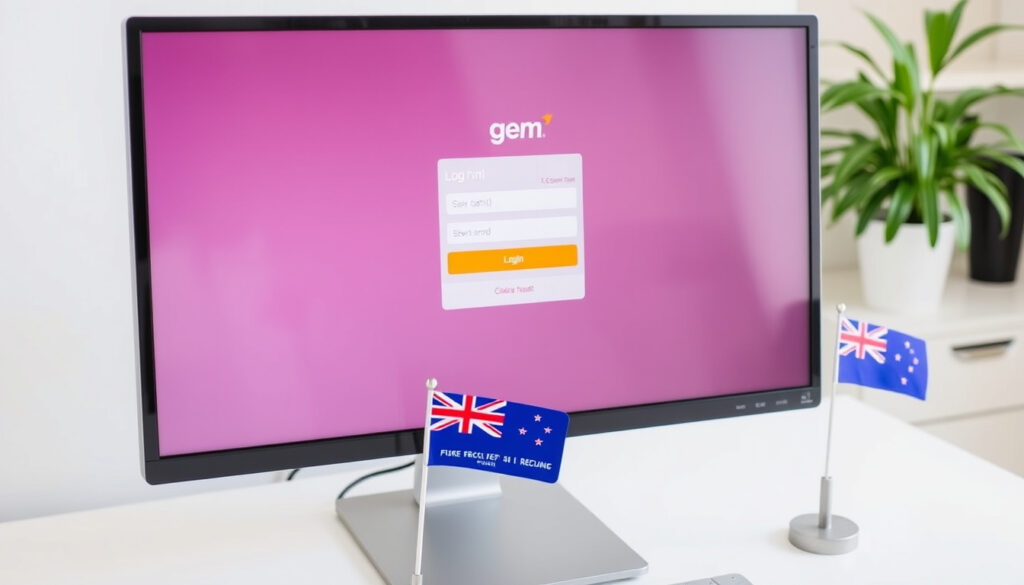
Gem Visa Login NZ: How to Access Your Account & Manage It
Logging into a credit card account shouldn’t feel like a treasure hunt. For Gem Visa holders in New Zealand, the path to account management now runs through the Latitude Service Centre, a single portal that consolidates Gem and Latitude products – this guide covers how to log in, check your balance, contact support, and understand what changes like the recent fee update mean for your wallet.
Gem Visa cardholders in New Zealand: Over 500,000 ·
Interest-free period (up to): 55 days ·
Foreign transaction fee: 3% ·
Annual fee: $0 if spent $1,000+ per year
Quick snapshot
- Gem Visa is issued by Latitude Financial Services (NZ’s consumer credit provider)
- Login portal: servicecentre.latitudefinancial.co.nz (Latitude Service Centre)
- Foreign transaction fee: 3% per purchase (Gem Finance credit card page)
- Whether Gem Visa cards are being phased out in favour of Latitude-branded cards – no official announcement has been made
- Pricing change notice published : annual account fee increases from $55 to $65 (Gem Finance Help Centre)
- Account management fully migrated to the Latitude Service Centre – users should register for a Latitude ID if they haven’t already (Gem Finance Help Centre guide)
The table below lays out the key facts about the Gem Visa card in New Zealand.
| Attribute | Value |
|---|---|
| Issuer | Latitude Financial Services Limited |
| Card network | Visa |
| Interest-free period | Up to 55 days on purchases |
| Foreign transaction fee | 3% |
| Annual fee | $0 if spent $1,000+ per year; otherwise $60 |
How do I log in to my Gem Visa account?
Using the Latitude Service Centre website
- Go to servicecentre.latitudefinancial.co.nz (Latitude’s official NZ portal).
- Enter your username (Latitude ID) and password.
- First-time users: click “Create an account” and follow the prompts to set up your Latitude ID using your Gem Visa card number and personal details.
The implication: the old Gem Finance standalone login has been replaced by the unified Latitude Service Centre. If you haven’t created a Latitude ID yet, you’ll need to register before you can access your account online.
Using the Latitude mobile app
- Download the “Latitude Financial” app from the App Store or Google Play.
- Log in with the same Latitude ID used on the website.
- The app offers biometric authentication (fingerprint or face) for faster access.
Latitude has centralised all account management through one platform. If you also have a Latitude GO Mastercard or personal loan, you can see everything in one place – no need to juggle multiple logins.
The catch: without a Latitude ID, online access is impossible – complete registration first.
How do I check my Gem Visa balance?
Online via Latitude Service Centre
- After logging in at servicecentre.latitudefinancial.co.nz, your current balance is displayed on the dashboard.
- You can also view recent transactions, available credit, and statements.
Through the Latitude app
- Tap “Account” to see your balance and spending breakdown.
- Real-time updates – transactions appear within minutes.
By phone or text
- Call +64 9 217 6049 (Gem Finance contact page) and follow the prompts for balance inquiries.
- Some cardholders can also text “BAL” to a dedicated number – check your welcome materials.
The trade-off: the app and website are available 24/7, but phone support is limited to business hours (Mon–Fri 8:30am–8pm AEST, Sat 9am–6pm AEST per Latitude’s contact page).
How to contact Gem Visa in New Zealand?
Customer service phone number
- Main support line: +64 9 217 6049 (Gem Finance NZ contact page)
- Hours: Monday to Friday 8:30am–8pm AEST, Saturday 9am–6pm AEST (Latitude support hours)
Email support
- Use the contact form on gemfinance.co.nz/contact-us
- No direct email address is publicly listed; queries are routed through the help centre.
Mailing address
- Level 21, 48 Shortland Street, Auckland 1010, New Zealand (Gem Finance office address)
The pattern: phone and email are the primary channels, but there is no 24/7 support – plan your call during business hours.
Is Gem Visa the same as Latitude?
Relationship between Gem and Latitude
- Gem Visa is a credit card product issued by Latitude Financial Services Limited, an Australian-owned non-bank lender with a New Zealand presence (Gem by Latitude homepage).
- Latitude is the parent company – it also offers the Latitude GO Mastercard, personal loans, and insurance.
- The “Gem by Latitude” branding reflects the integration, but the card itself is still called Gem Visa in New Zealand.
Product differences
- Gem Visa NZ has a 3% foreign transaction fee; the Australian Gem Visa offers $0 international transaction fees – a key difference.
- Annual fee on the NZ card can be waived with $1,000 annual spend; the AU card has a different fee structure.
Why the confusion
- Because both names appear on statements and the login portal says “Latitude Service Centre”, many users think the card has changed. In reality, only the account management platform has migrated – your Gem Visa card and number remain the same.
The takeaway: Gem and Latitude are the same issuer, but the card product itself is distinct from other Latitude offerings. Don’t assume the same features apply across all Latitude cards.
If you’re comparing the NZ Gem Visa with the Australian version, note the NZ card charges 3% on overseas purchases while the AU version doesn’t – a significant difference for travellers (Latitude Financial Services AU).
Can I use a Gem Visa outside New Zealand?
Accepted countries
- Yes – the card works anywhere Visa is accepted globally, including online stores and physical merchants.
- Reddit users report it works in Rarotonga and other Pacific Islands (Reddit discussion, low-confidence anecdote).
Foreign transaction fees
- Purchases: 3% of the transaction amount (Gem Finance credit card page).
- Cash advances: 2% of the advance amount for international ATM withdrawals (MoneyHub NZ review).
Tips to avoid fees
- Use a separate no-foreign-transaction-fee card (e.g., Wise, Airpoints Platinum) for overseas spending.
- Avoid using the Gem Visa for ATM withdrawals abroad – the $1.50 international ATM fee + 2% cash advance fee adds up quickly.
What this means: the Gem Visa is usable overseas but expensive. For frequent travellers, a dedicated travel card is a better choice.
Gem Visa NZ vs. Australian Gem Visa: a quick comparison
One pattern stands out from the two markets: the same card brand can have dramatically different fee structures depending on where it’s issued.
| Feature | Gem Visa New Zealand | Gem Visa Australia |
|---|---|---|
| Issuer | Latitude Financial Services (NZ) | Latitude Financial Services (AUS) |
| Foreign transaction fee | 3% (Gem Finance NZ) | $0 (Latitude AU) |
| Annual fee (waived) | $0 if spend $1,000+/year; otherwise $60 | Varies by product |
| Purchase rate | Not publicly listed on NZ site | 28.99% p.a. (Latitude AU) |
| Cash advance fee (domestic) | $1.00 (MoneyHub NZ) | Not specified |
| Cash advance fee (international) | $1.50 + 2% of amount (MoneyHub NZ) | Not specified |
The implication: if you’re a cross-Tasman traveller, holding a Gem Visa on both sides doesn’t make sense – the AU card is clearly better for overseas use.
Step-by-step guide to accessing your Gem Visa account
Follow these steps for first-time setup and daily use.
- Register for a Latitude ID: Go to servicecentre.latitudefinancial.co.nz/register, enter your Gem Visa card number, date of birth, and email address. (Official guide)
- Set your username and password: Choose a strong password – the system requires at least 8 characters with a mix of letters, numbers, and symbols.
- Log in: Use your new credentials at servicecentre.latitudefinancial.co.nz/login.
- View your balance: The dashboard shows your current balance, available credit, and minimum payment due.
- Make a payment: Link a New Zealand bank account to transfer funds – payments usually post within 1 business day.
The process is straightforward once you have your card details ready.
What’s confirmed and what’s still unclear
Confirmed facts
- Gem Visa is issued by Latitude Financial Services Limited and managed through the Latitude Service Centre.
- The login URL is servicecentre.latitudefinancial.co.nz/login.
- Foreign transaction fee for purchases is 3% (Gem Finance card page).
- Annual fee will increase from $55 to $65 effective from a date after March 2026 (pricing change notice).
What’s unclear / potential concerns
- Some Reddit users (low-confidence source) allege “predatory” fee changes, but no official confirmation of a broader restructuring (Reddit thread).
- Whether the Gem Visa brand will eventually be replaced by a Latitude-branded card remains unannounced.
The picture is mostly clear, though the Reddit anecdote warrants caution.
Quotes from Latitude and Gem Finance
“The New Zealand Latitude Service Centre is the online portal for managing GEM and Latitude products and credit card accounts in one place.”
— Latitude Service Centre migration page (NZ)
“Your annual account fee increases from $55 to $65 and is charged half-yearly in instalments of $32.50.”
— Gem Finance Credit Card Pricing Changes notice
The message from Latitude is clear: they’re consolidating everything under one roof. For cardholders, that means no more separate logins – but it also means accepting the parent company’s fee adjustments.
Summary: what the Latitude migration means for NZ Gem Visa users
The shift to the Latitude Service Centre isn’t just a cosmetic change – it signals that Latitude Financial Services is consolidating its NZ credit card operations. For the 500,000+ Gem Visa holders in New Zealand, the practical outcome is a single login and app, but also exposure to fee increases and the loss of a standalone brand identity. If you’re a frequent overseas spender, the NZ Gem Visa’s 3% foreign transaction fee makes it a poor travel companion; consider a second card with no FX charges. For everyday domestic use with a $0 annual fee (if you spend $1,000+ a year), it remains a solid option – provided you set up your Latitude ID today.
Related reading: Accessing the Latitude Service Centre
latitudefs.zendesk.com, moneyhub.co.nz, nz.linkedin.com, gemfinance.co.nz, reddit.com
If you’re considering the Gem Visas 6-month interest-free offer, it’s worth understanding how the promotional period works to avoid unexpected charges.
Frequently asked questions
How do I reset my Gem Visa password?
On the Latitude Service Centre login page, click “Forgot password?” and follow the email reset link. You’ll need access to the email address you registered with.
What is the Gem Visa credit limit?
Your credit limit is set at approval and varies based on your credit history and income. You can view it in the Latitude Service Centre dashboard after logging in.
How do I apply for a Gem Visa?
Applications are available online at gemfinance.co.nz/credit-cards/gem-visa-card. You need to be a New Zealand resident with a stable income.
Can I use my Gem Visa at an ATM?
Yes, but cash advances incur a fee: $1.00 for NZ ATMs and $1.50 for international ATMs, plus a 2% cash advance fee for international withdrawals (MoneyHub NZ).
How long does it take to get a Gem Visa?
Once approved, the physical card typically arrives within 5–10 business days. You can start using the card for online purchases as soon as you receive it.
Does Gem Visa offer balance transfers?
Gem Visa does not advertise balance transfer offers in New Zealand. Check with customer service at +64 9 217 6049 for current promotions.
Is there a Gem Visa mobile app?
There is no separate Gem Visa app. Use the “Latitude Financial” app – it supports all Latitude credit cards, including Gem Visa.
More related posts
 Support Worker Jobs Auckland: Guide to Roles & Salary 2025
 1-Day Acuvue Moist Review: Wear Time & Comfort
 IRD Mileage Rate 2024: Km Rates for Business Vehicles
 What Is the Capital of New Zealand? Wellington, Not Auckland.
 How Long Does Temu Take to Ship to NZ? 2025 Delivery Guide
 Anthem of the Seas Cruise Ship: Key Facts & Itineraries
 Auckland to Amritsar Flights: Compare Prices & Airlines